Design courses with AI. Publish to any LMS.
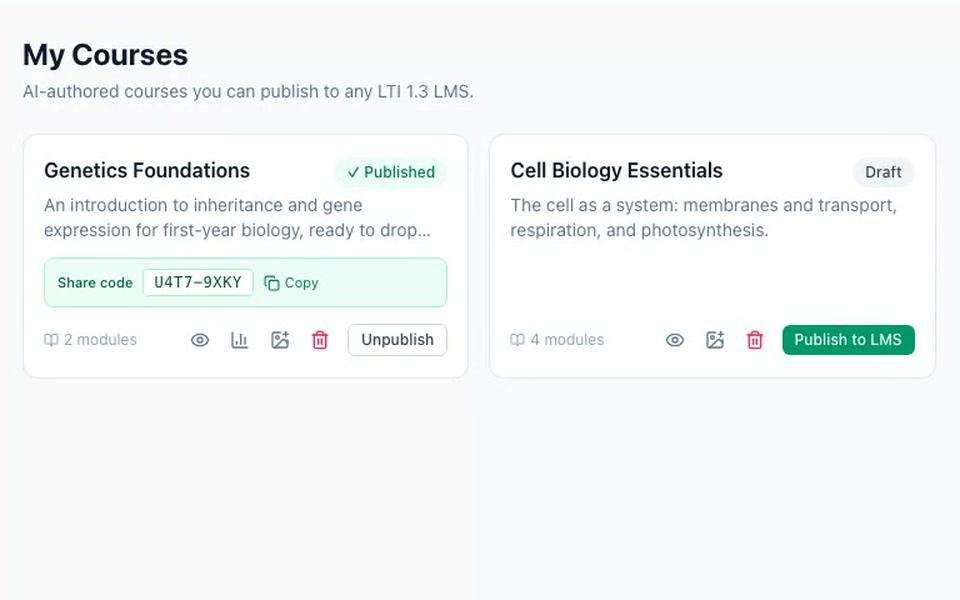
Build a course with AI, publish it, and share one access code. Any instructor on Canvas, Moodle or another LTI 1.3 LMS redeems it — with live updates and grades to their gradebook.
Start with just an email — no LMS of your own required.
- Shaped by instructors and LMS administrators around the world
- Built by engineers in Silicon Valley
- Used by teachers and learners in 33 countries
From your studio to any classroom in three steps
One access code carries your live course into every LMS that redeems it.
Author or import your course
Build with AI in the browser, or import a Common Cartridge, Moodle or SCORM package. Just an email to start.
Publish or export
Publish for a short access code that delivers your live course — or, on the Author Seat, export a SCORM, Moodle or Common Cartridge file.
Instructors redeem it in their LMS
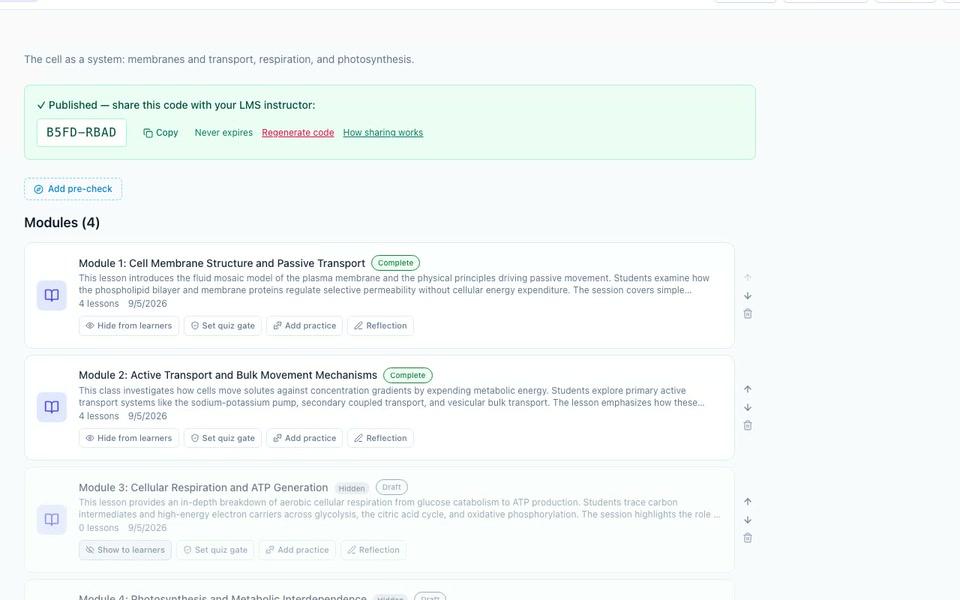
Any instructor on an LTI 1.3 LMS pastes the code, and the live course appears — grades wired to their gradebook.
Take a Studio course, inside Moodle
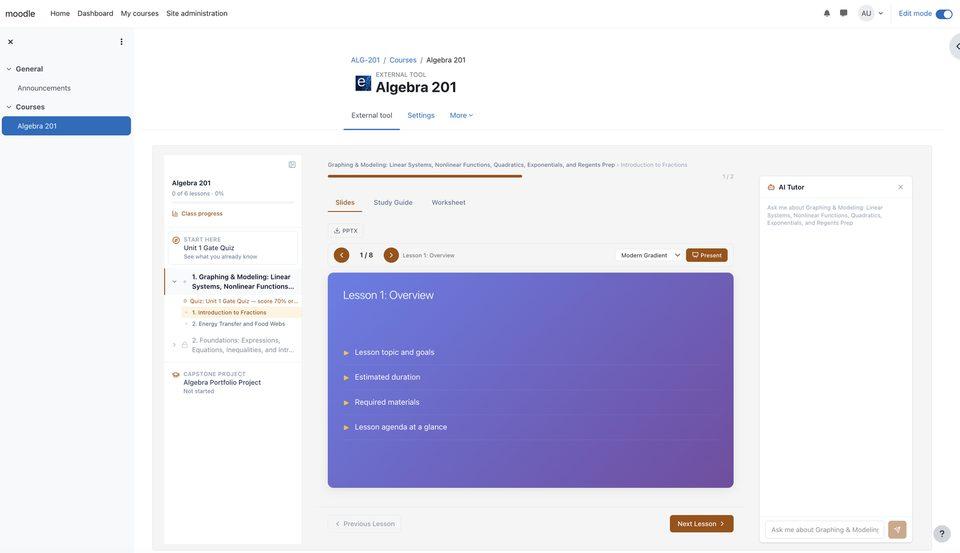
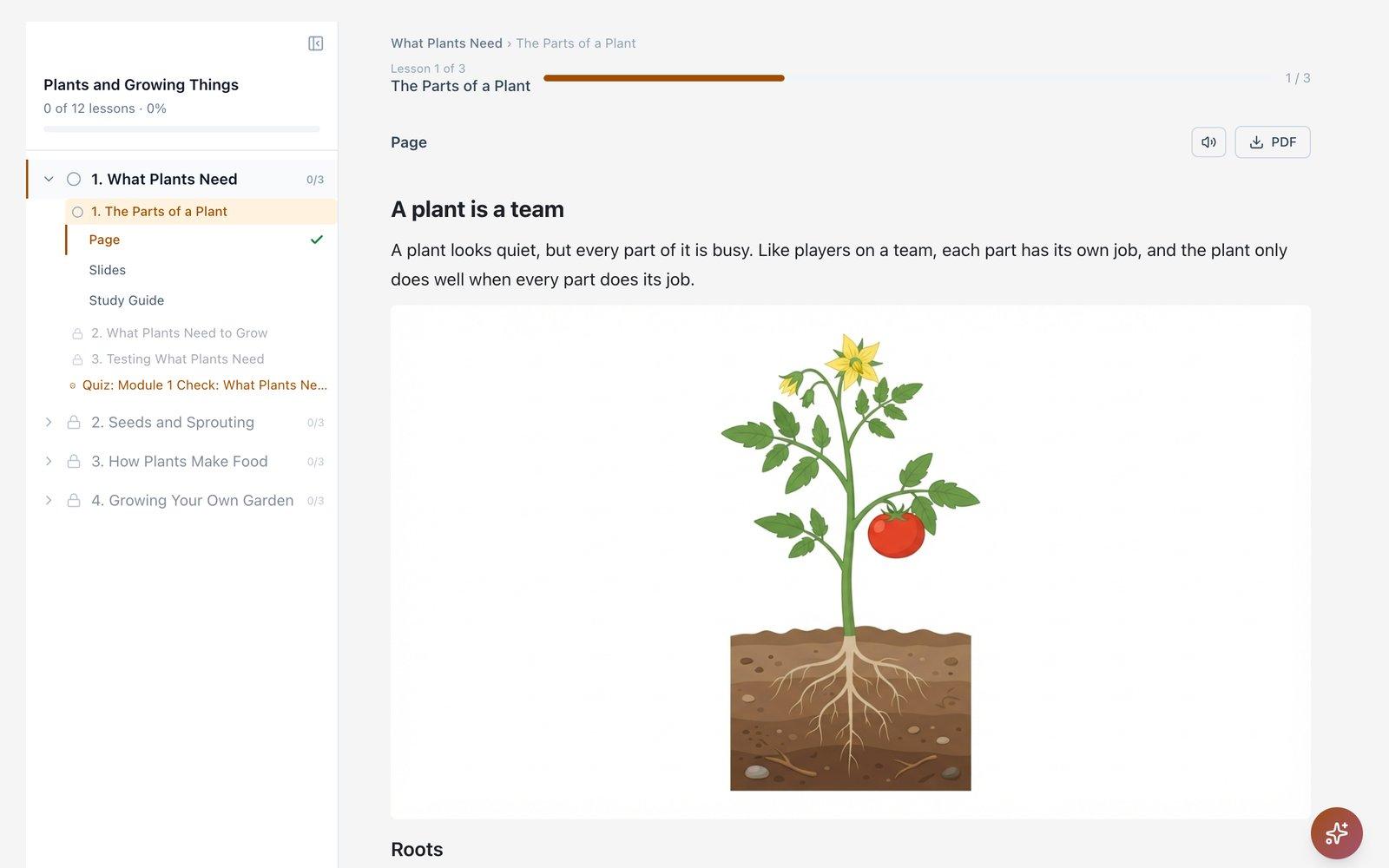
Plants and Growing Things was built in EduGears AI Studio and added to Moodle with one access code. Take it as a student and see the grade arrive in Moodle when you finish.
- 4 modules of 3 lessons, with a quiz to pass at the end of each
- Ten question types in every quiz, from labelling a diagram to putting steps in order
- Finish the course and the grade goes to Moodle
Built with EduGears AI Studio
Everything you need to build and ship a course
Author with AI, bring content in, take it out anytime, and design how the course teaches.
No toolchain to assemble — AI authoring, images, quizzes, and export live in one studio. Nothing to glue together, no separate tools to subscribe to.
Authoring
Build a real course with AI — in the browser
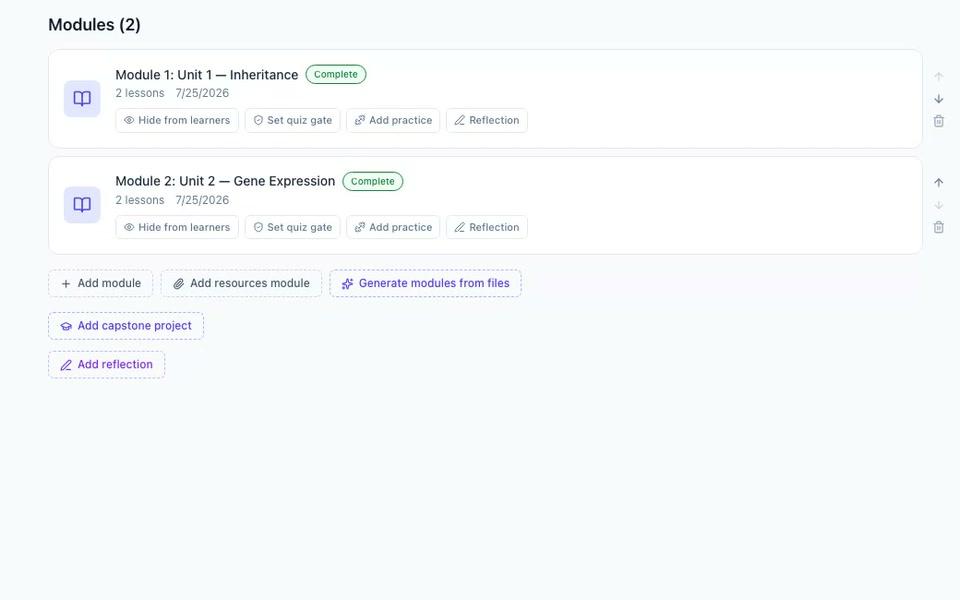
Start from a syllabus, your files or a blank page — get modules and lessons you can edit down to the sentence.
- Syllabus & files → full course — Modules and lessons generated from your material, then refined by hand.
- Every asset type, generated — Slides (real PowerPoint), study guides, worksheets, pages, quizzes and question banks — all editable.
- Illustrated — and checked — Illustrate a deck or page in one go; every AI image is checked for accuracy first.
- Cog, the workspace assistant — Helps you author from your own materials, and tells you how your courses are doing.
- Publish when it's actually ready — The Publish button shows exactly what's still missing, module by module.
Import & export
Bring content in. Take it out. No lock-in.
Import what you have and export a full package whenever you want. Your content stays yours.
- Import Common Cartridge, Moodle & SCORM — Common Cartridge (what Canvas exports), Moodle .mbz or SCORM 1.2/2004 — turned into an editable course.
- Export CC, SCORM & Moodle — Common Cartridge 1.3, SCORM 1.2/2004 or Moodle .mbz — with gradable quizzes.
- Own your content — Nothing is trapped. Export a full package any time.
Learning design
Design how the course actually teaches
More than a content dump: sequence it, gate progress on mastery and build in reflection.
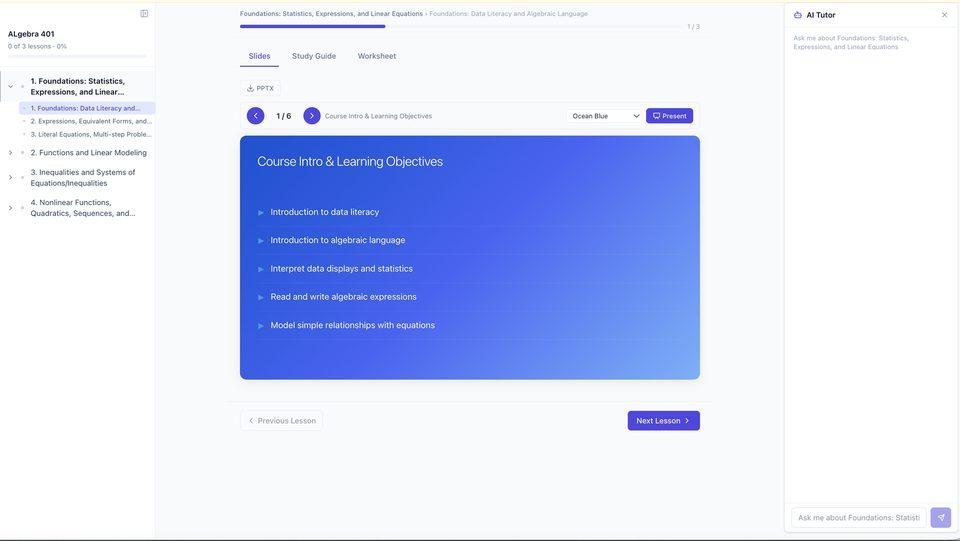
- Sequential Course Player — A guided, step-by-step player instead of a flat file list.
- Quiz gates & diagnostics — Pass thresholds that gate progress, and pre-checks that meet learners where they are.
- Capstones & reflections — AI-drafted grading for instructor approval, and thoughtful feedback on reflections.
- AI Tutor for students — Grounded in your materials — hints and guidance, never the answer.
Analytics for both sides — with a privacy line down the middle
You see adoption across institutions. Each institution sees only its own class — a boundary by design.
See adoption everywhere
Understand reach and engagement across every institution at once.
- Cross-institution analytics across every LMS that redeemed your code
- Cohorts labeled per institution, with learner tables
- The institutions table — see which institutions use each course
See only their class
A clean, private view scoped to the section they teach.
- Class Progress for their own section only
- Never sees another section or institution
- Grades flow to their LMS gradebook at completion
AI your way
Ask about your courses. Build with the AI you already use.
Ask Cog about your published courses
Ask “How is my Circuits course doing across schools?” Cog answers from your own Studio analytics and links the page behind every number.
- Your catalog only — never a school's private data
- Read-only — it never changes anything
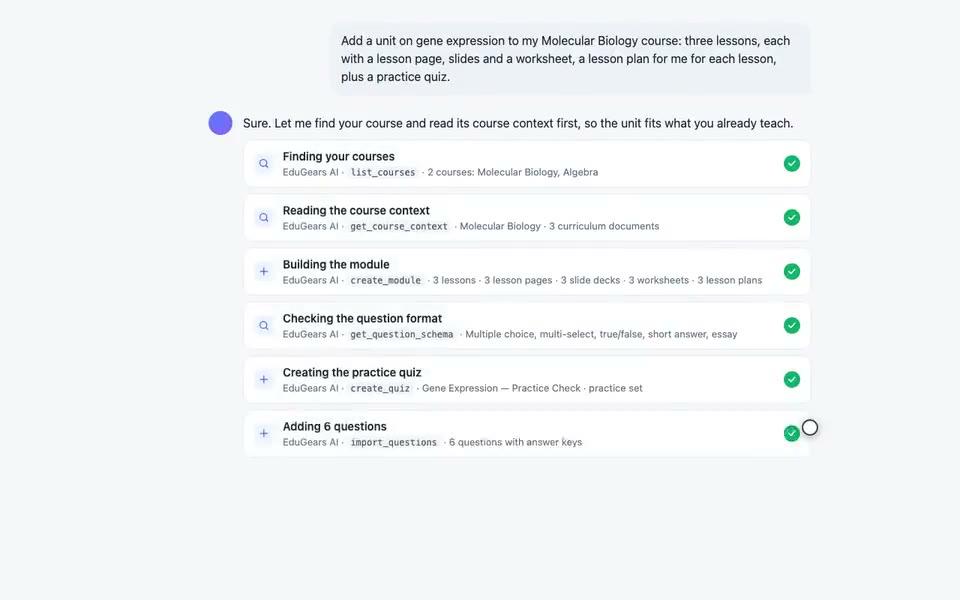
Build with your own AI assistant
Connect your own Claude, ChatGPT or Copilot — it writes quizzes and modules straight into your Studio courses.
- Sign in with your Studio account — no API keys
- Never sees learner work or grades
Live updates
Fix it once. It's live everywhere.
Institutions pull your course by code, not by file — so an update reaches all of them the moment you republish.
The SCORM way
- Re-export a SCORM package for every change
- Re-send files to each institution
- Chase down admins to re-upload
- Versions drift out of sync across LMSes
The Studio way
- Edit the course and republish
- Every institution is on the new version instantly
- Nothing to re-export, nothing to re-ship
- One source of truth for the access code
Who it's for
If you build courses that other people teach, EduGears AI Studio is your distribution layer.
Content publishers & course creators
License one course to many institutions, hand out codes and watch adoption everywhere.
Curriculum teams & districts
Standardize a course across schools — update centrally, every classroom current the same day.
Training providers & L&D
Deliver one program into clients' LMSes, with completion grades and a table of every institution using it.
Instructional designers & solo creators
Design the whole learning experience in the browser — no LMS of your own needed.
Four design principles
The rules every EduGears AI product follows.
Open standards, no lock-in
Import and export Common Cartridge, SCORM and Moodle, and deliver to any LTI 1.3 LMS. Your content stays yours.
Your curriculum, not the internet's
Generation and tutoring are grounded in your own materials.
Human in the loop
The educator creates, the educator approves, the AI does the tedious part.
Your data, your provider
Each organization's data is kept separate and is never used to train models.
- OpenAI
- Claude
- Gemini
- DeepSeek
Frequently asked questions
How access codes, delivery, analytics, and ownership work.
An AI course studio: design or import a course, then publish it as an access code any LTI 1.3 LMS can redeem — or export it as SCORM, Moodle .mbz or Common Cartridge.
Any LMS that supports LTI 1.3, including Canvas and Moodle. An instructor redeems your code and the course is delivered into their LMS.
Just EduGears AI connected to their LMS once over LTI 1.3. Delivering your course costs the institution nothing, with no per-student limit.
Institution setup guideNo. Codes never expire unless you set an optional date, and you can regenerate a code any time.
No new institutions can redeem it. Those that already did keep access — students are never cut off mid-course.
Edit and republish. Every institution that redeemed the code is on the new version instantly.
At completion, grades flow back to each institution's LMS gradebook over LTI Assignment & Grade Services (AGS).
You, as the course owner, see cross-institution analytics, cohorts per LMS and the institutions table. Each instructor sees only their own section.
Yes — on the Author Seat, export any course to Common Cartridge 1.3, SCORM 1.2/2004 or Moodle .mbz — Moodle exports include gradable quizzes.
No. Sign up with an email and author in the browser. An LMS only comes in when an institution redeems your code.
Yes. Connect the Claude, ChatGPT or Microsoft Copilot you already use — choose Studio account on the sign-in page and sign in with your Studio email and password. No API keys. It writes quizzes and modules into one of your Studio courses and never sees learner work or grades. Creating content works on the free plan; reading your existing content back needs the Author Seat.
Your first course is free, with 100 one-time AI credits or your own AI keys. For more courses, the Author Seat is $1.67 per author per month, billed annually ($19.99 per year). Every AI task uses AI credits: 100 one-time credits per seat, then credit packs or your own keys.
Build a course today. Publish it to any LMS.
Start free in the browser with your work or school email. Your first course is free, and institutions never pay to deliver it.