How it works
One code. The whole course lifecycle.
EduGears AI Studio replaces the export-and-ship cycle with a single access code that any LTI 1.3 LMS can redeem. Here's every step, from publish to retire.
Step 1 — Publish
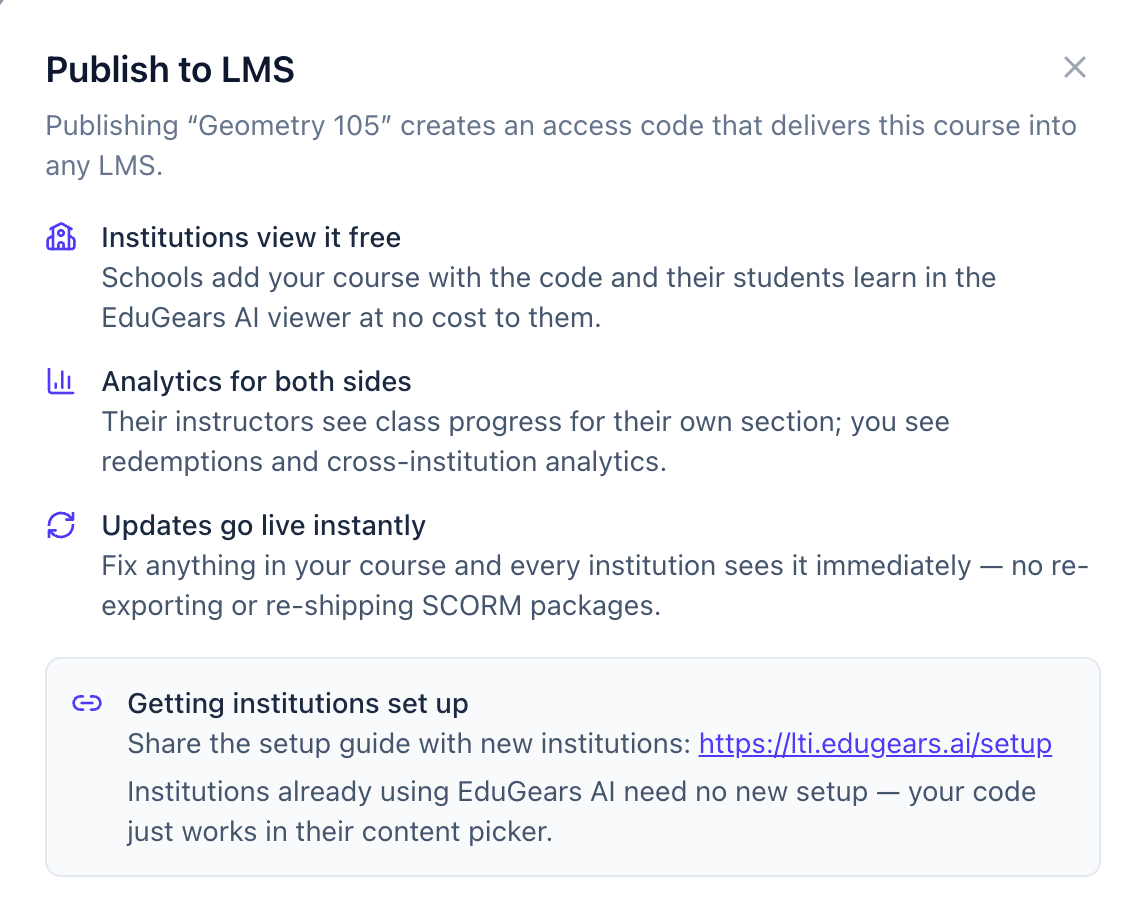
Publish once, get a code
When your course is ready, publish it. EduGears AI Studio generates a short access code that represents the live, current version of the course.
There's no export step and no file to distribute. The code is the deliverable — it always points at the latest version you've published.
Step 2 — Share
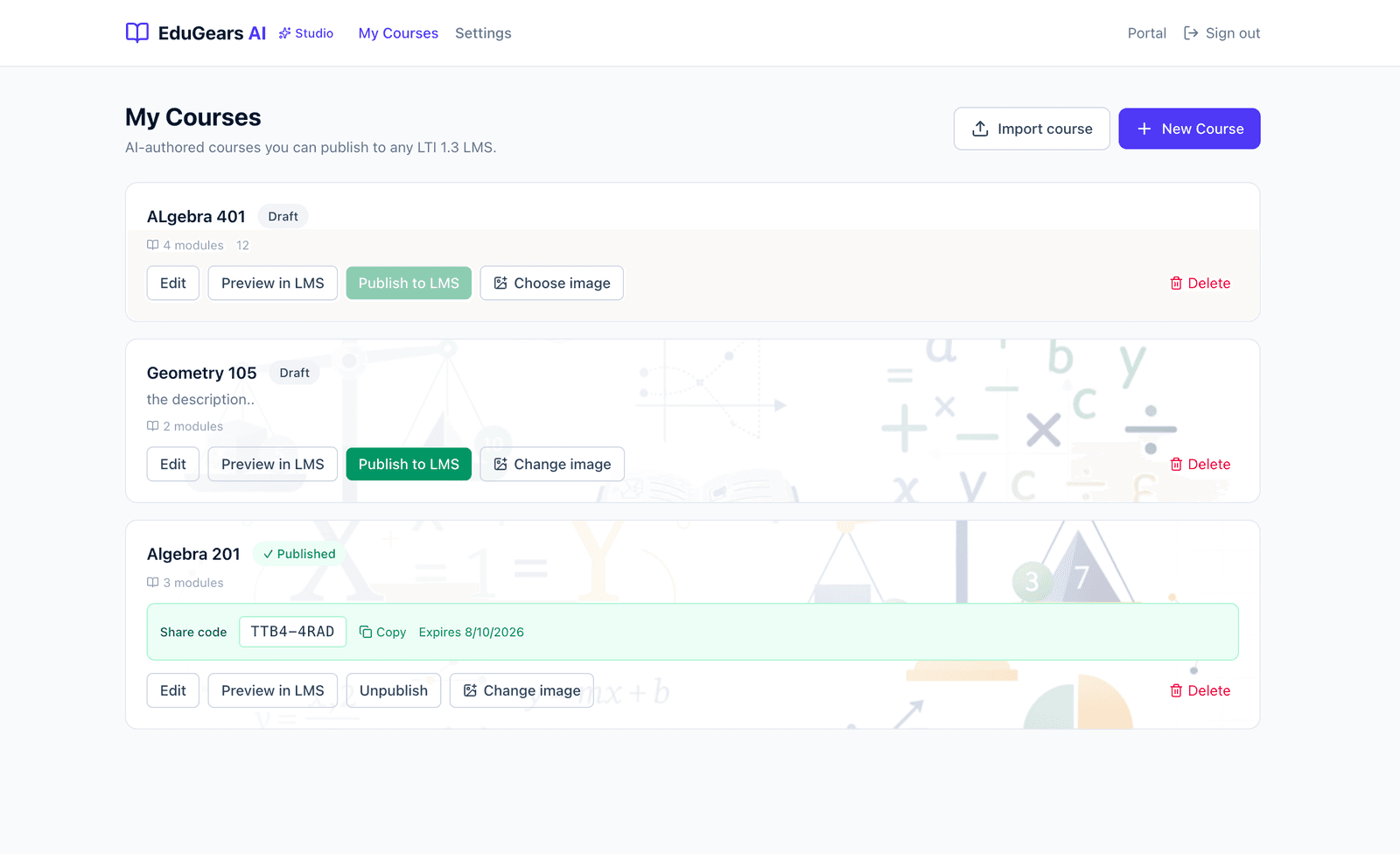
Share the code with instructors
Send the code to the instructors, schools, or partners who should teach your course. One code can be redeemed by many instructors across many institutions.
By default codes never expire, so a code you share today keeps working. Set an optional calendar expiry when a cohort or license is time-boxed, and regenerate a code instantly if you ever need to.
Step 3 — Redeem
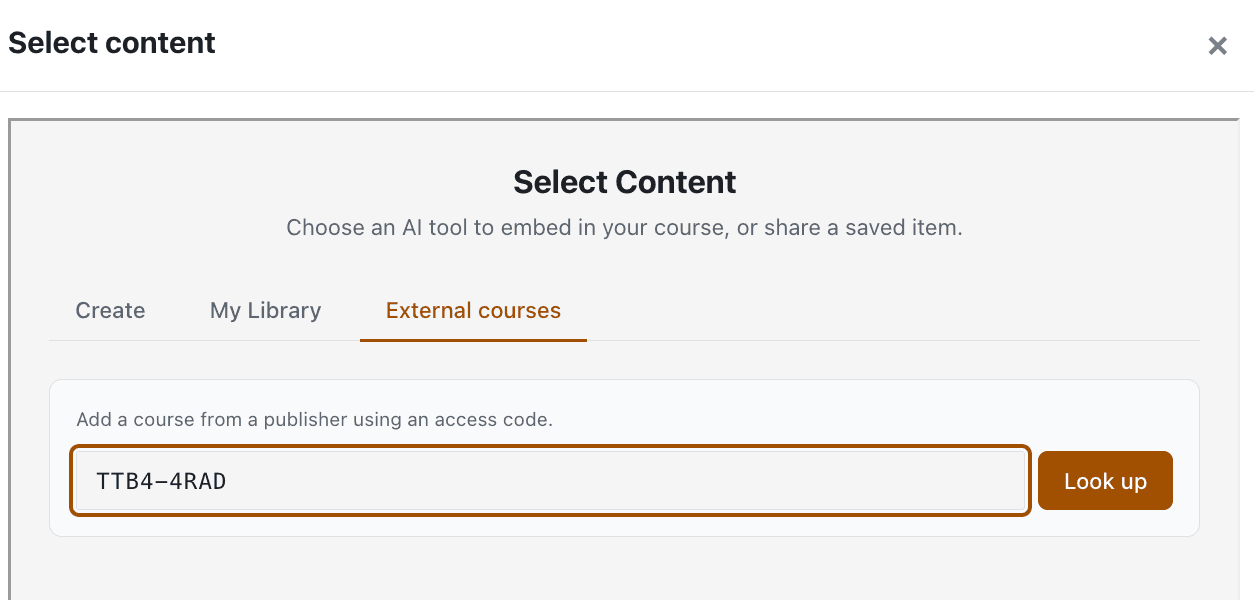
Any LTI 1.3 LMS redeems it
An instructor pastes the code into EduGears AI from inside their own LMS. The course is delivered straight into their course — no SCORM import, no file wrangling.
Their institution's admin only needs EduGears AI connected once over LTI 1.3. Institutions already using EduGears AI need no new setup; new ones follow a quick one-time setup guide.
Viewing your course is free for the institution, with no per-student limit — the whole class learns in the EduGears AI viewer at no cost to them.
Step 4 — Teach & grade
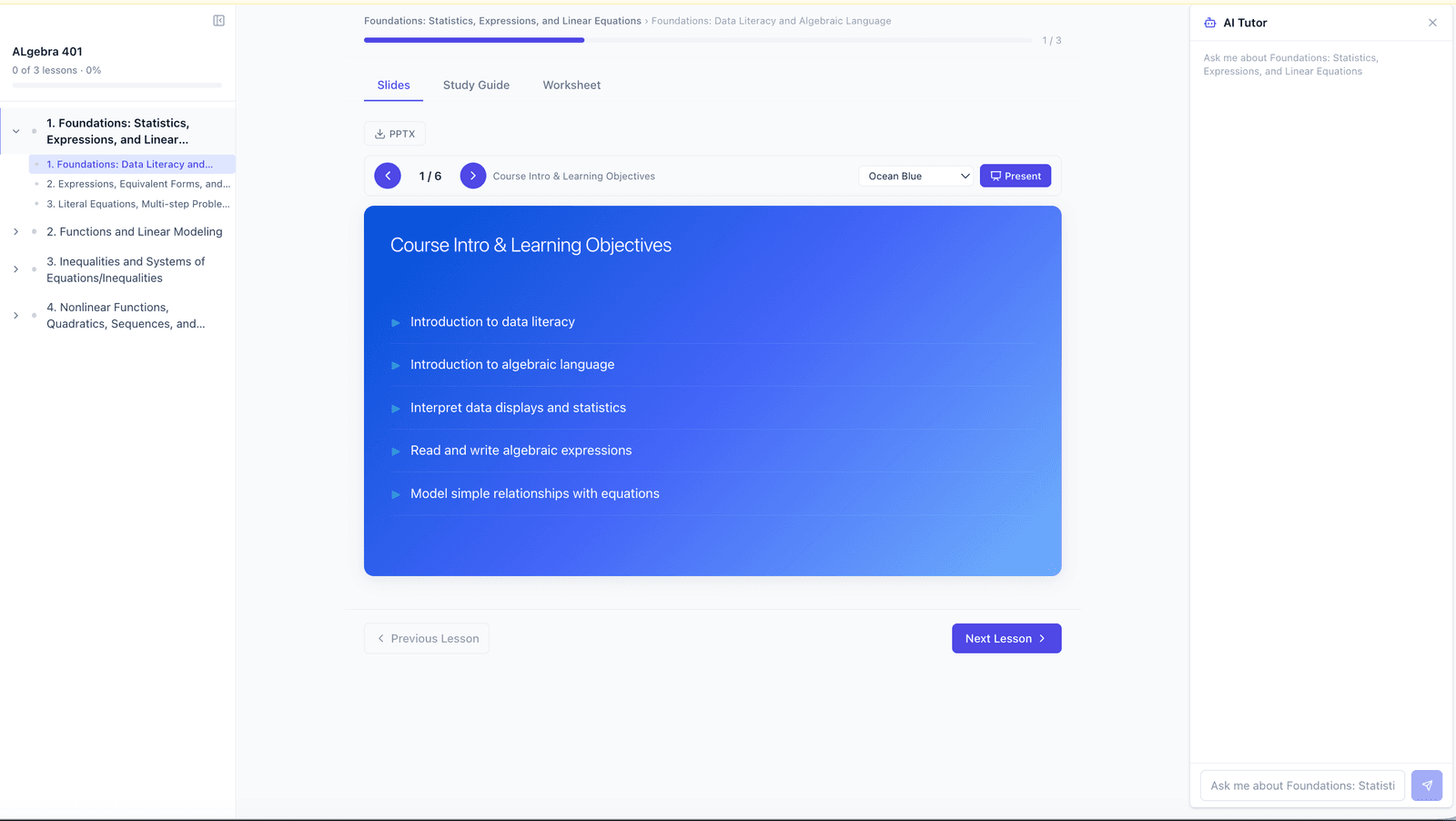
Learners work; grades flow to the gradebook
Learners move through the guided Course Player. Quiz gates, diagnostics, capstones, and reflections all run exactly as you designed them.
At course completion, grades flow back to the institution's own LMS gradebook over LTI Assignment & Grade Services (AGS). Delivering the course costs the institution nothing.
Step 5 — Measure
See adoption across every institution
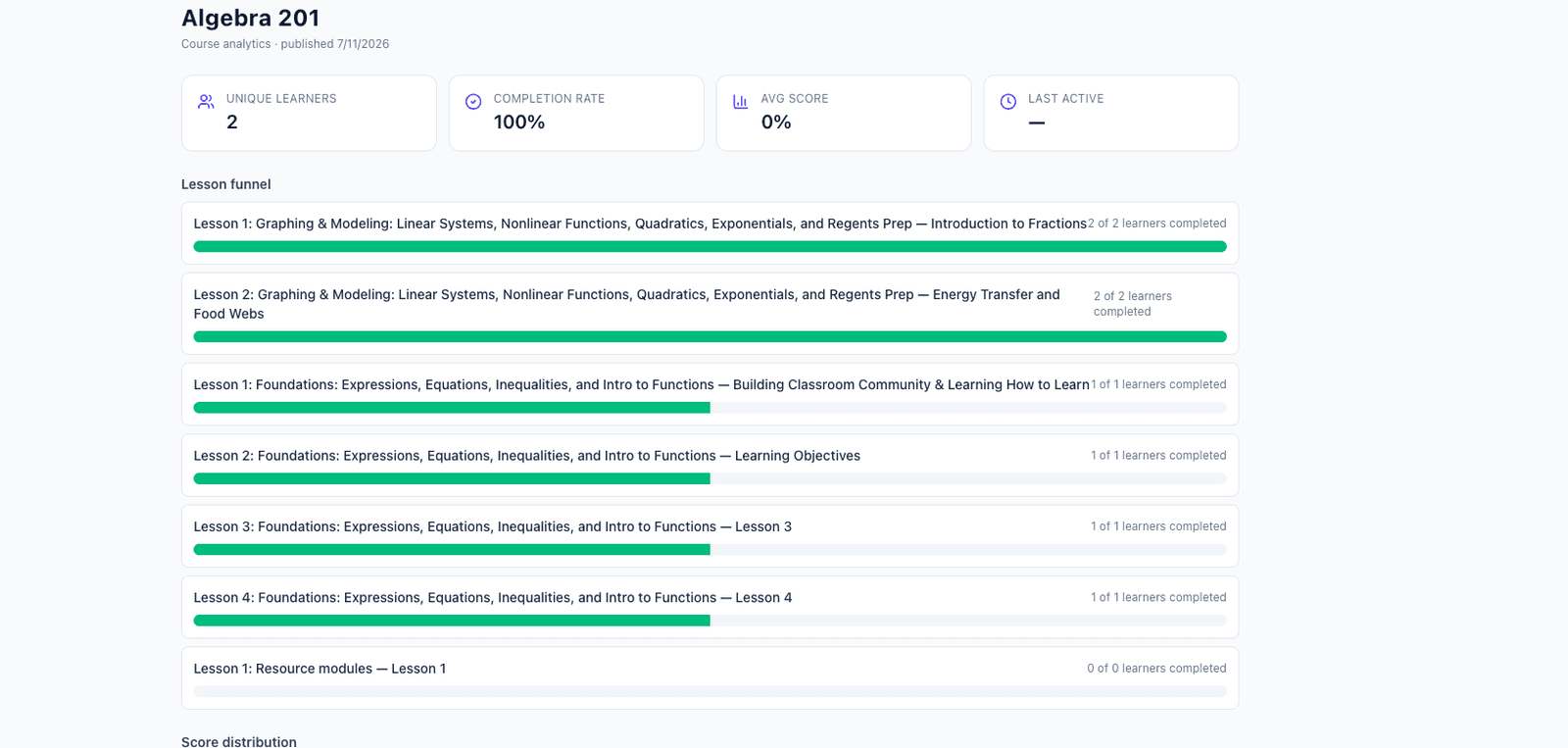
You get cross-institution analytics: cohorts labeled per LMS, learner tables, and a redemptions report showing which institutions are using each course.
Each institution's instructor sees Class Progress for their own section only. Your cross-institution view stays private to you, and their roster stays private to them — the boundary is the point.
Step 6 — Update
Fix once, live everywhere
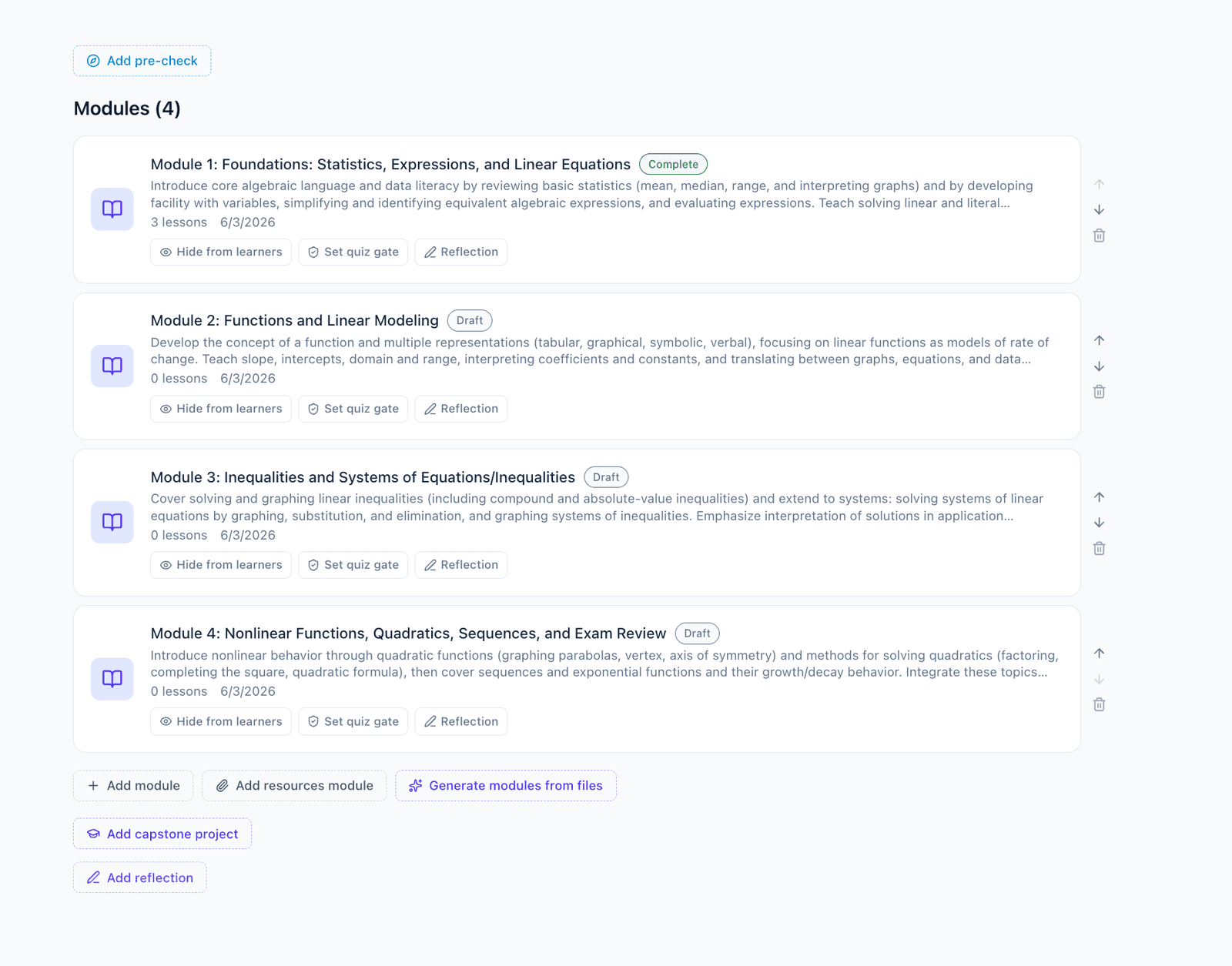
Edit the course and republish. Every institution that redeemed the code is on the new version instantly — no re-export, no re-sending files, no version drift.
It's the opposite of the SCORM cycle, where every fix means re-exporting a package and chasing down each LMS to re-upload it.
Step 7 — Retire
Unpublish without cutting anyone off
Unpublishing a course simply unlists it, so no new institutions can redeem the code.
Institutions that already redeemed keep their access and students are never cut off mid-course. You stay in control of distribution without breaking anyone's classroom.
Ready to publish your first course?
Build it in the browser, publish to a code, and share it with the institutions that should teach it.